Your AI.
Shaped around your processes.
From a private chat to a team of autonomous agents working 24/7: isolAIted grows with you, without changing platforms, on your hardware, without exposing a single byte.
Four steps. From setup to your most advanced workflow.
The journey with isolAIted is straightforward: build the base assets, configure your agents, organise their work, then choose the interface to operate with. An approach that starts simple and scales without limits. Everything is versionable and permanent in the Registry.
Build your base assets
Configure knowledge bases — RAG and LLM Wiki — choose LLM models, organise Skills and MCP Tools. These are the building blocks that give agents knowledge, operational capabilities and connection channels to your systems.
Configure your agents
Each agent combines the assets you've chosen: model, skills, tools, adding specifics related to memory, execution environment and communication protocols. The agent becomes your custom specialist, ready to be reused across every project.
Set up your orchestration
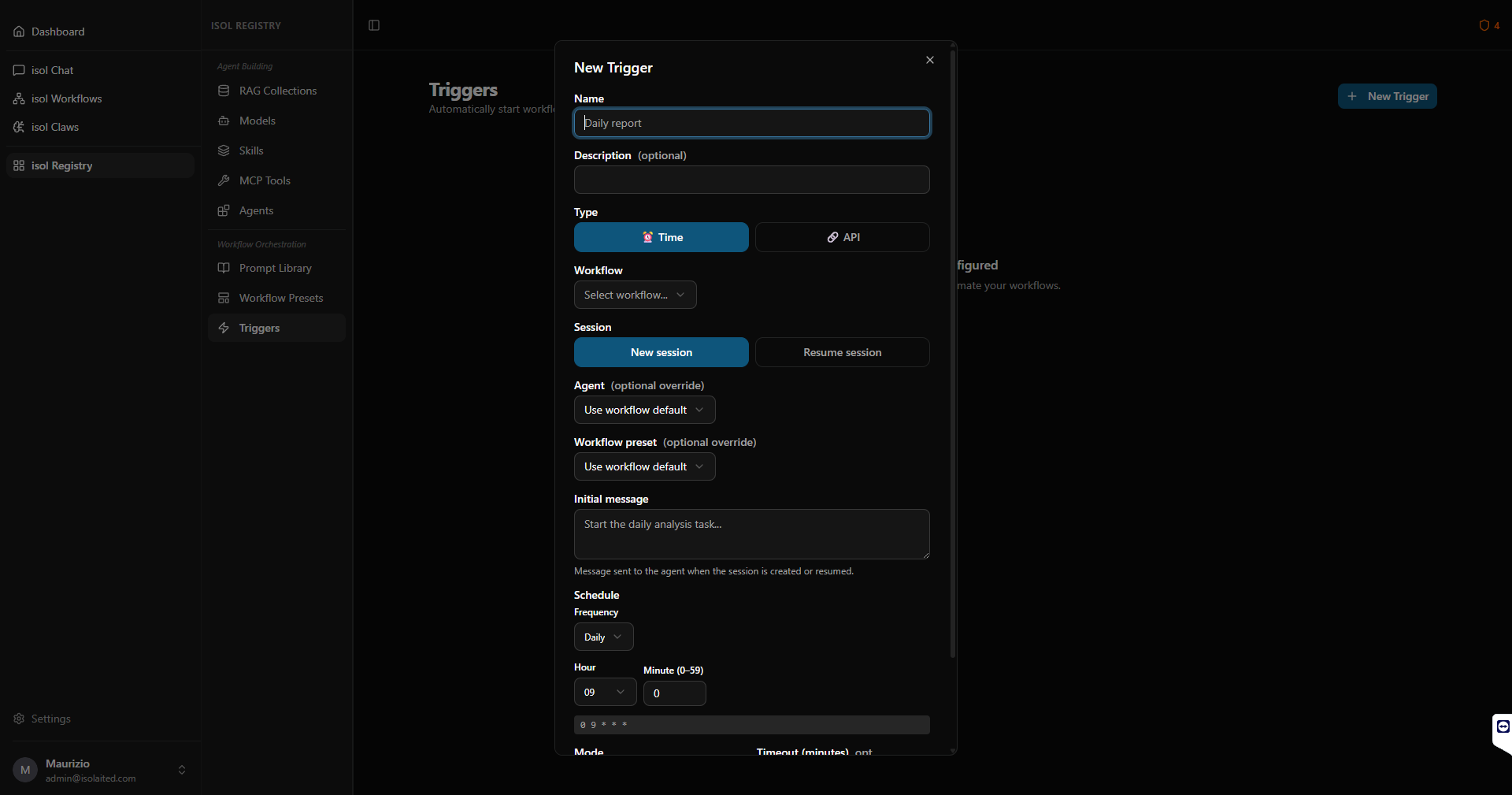
Define how agents work together: create Workflow Presets to guide multi-agent sessions, Triggers to launch processes autonomously, Prompts for your everyday-use library. Everything versioned and shareable in isol Registry.
Work with the operational interfaces
Configured agents and workflows are available across isol Chat, isol Workflows and isol Claws. Choose the interface based on the type of work: direct interaction, structured processes or 24/7 autonomous automation.
Operational from first launch
isolAIted includes pre-installed agents and workflow presets ready to use. You can start working immediately — with isol Chat, Workflows and Claws — without configuring anything.
The real value: customisation
The more you build agents tailored to your processes, the more isolAIted becomes a unique tool. Every agent/workflow you create is a company asset that refines over time.
Your fully private AI chatbots.
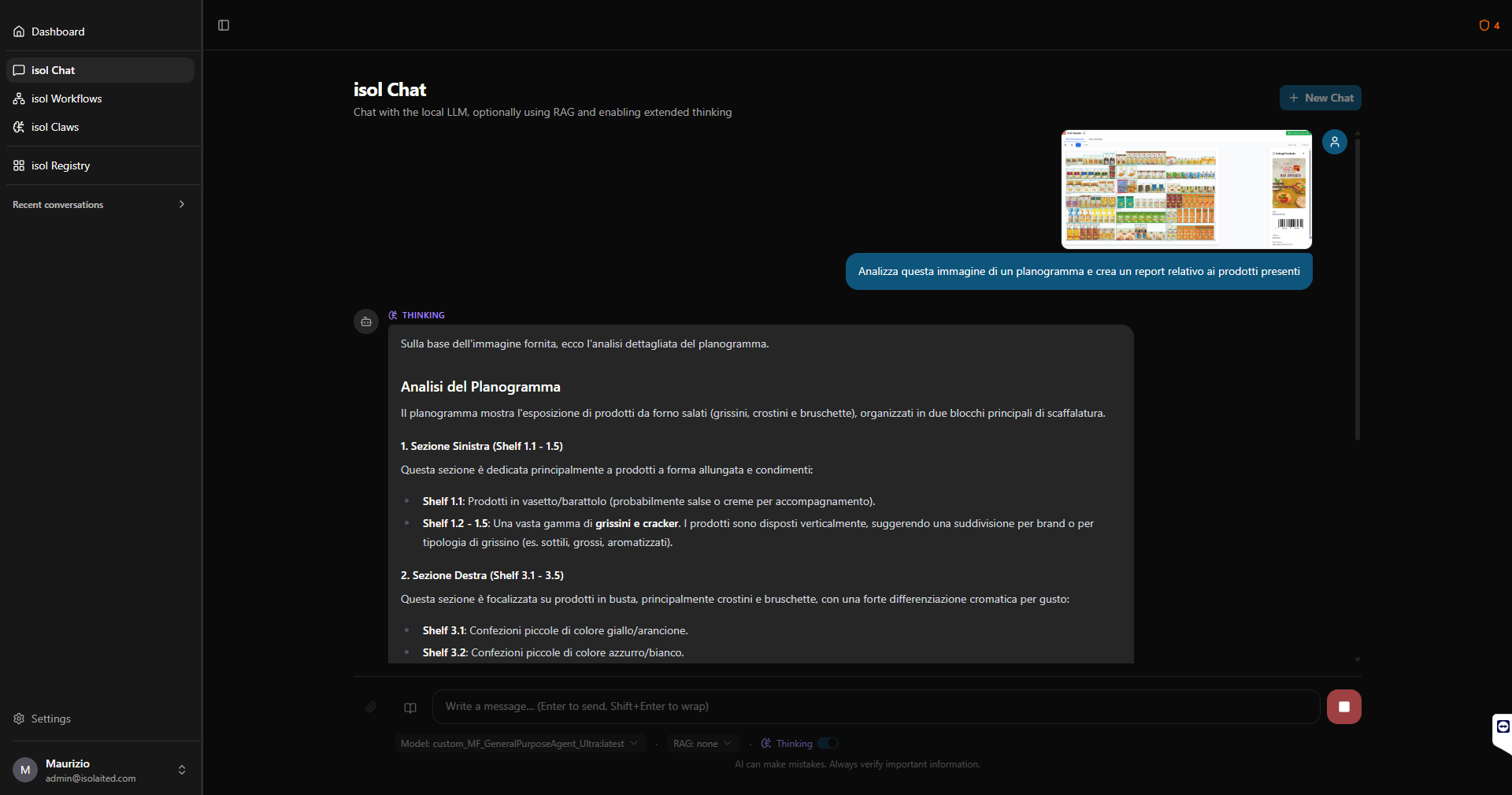
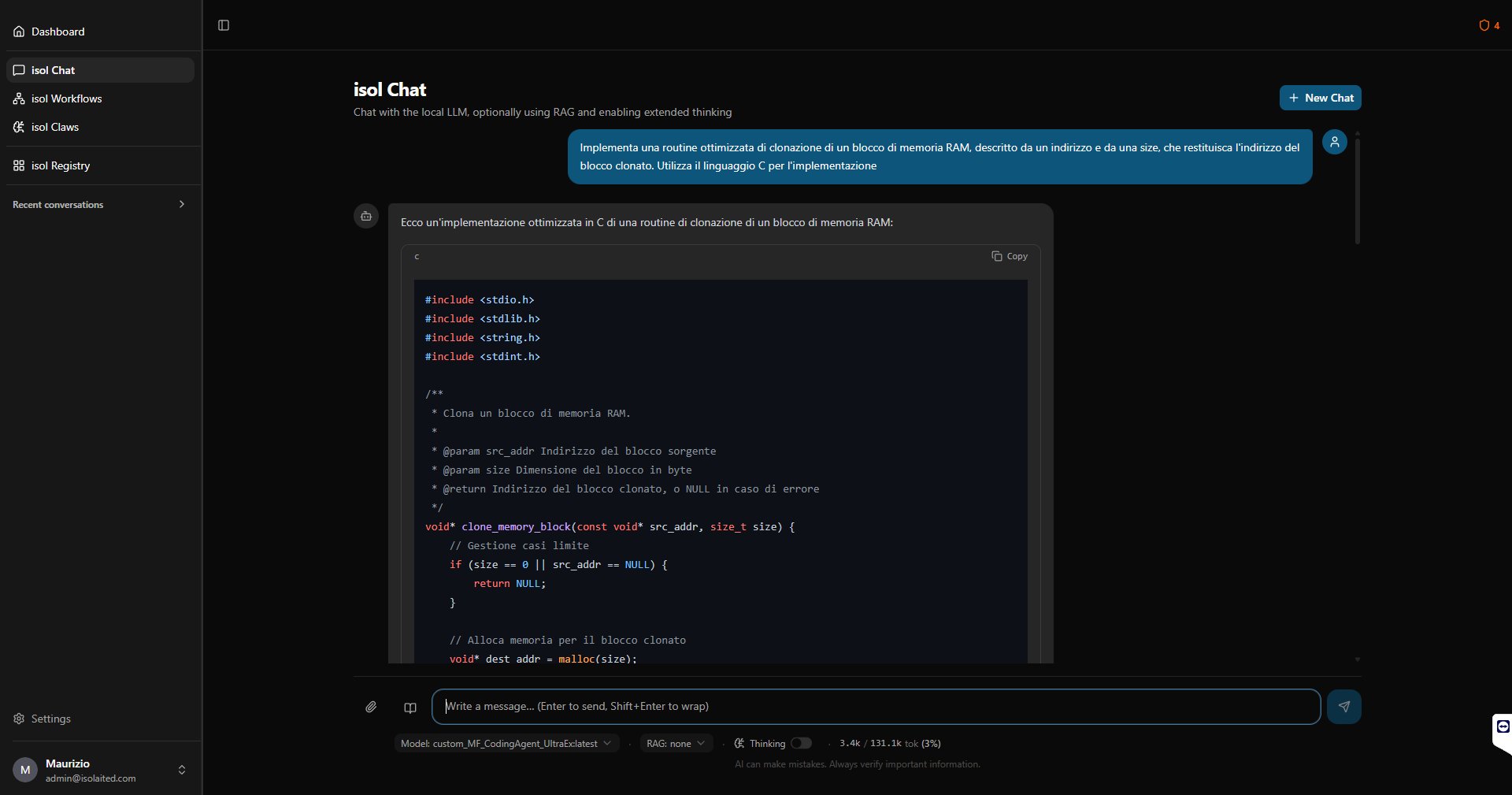
Interact with the most advanced open weights models directly on your hardware. Use your knowledge base. Attach confidential documents and get structured, formatted answers. Nothing you write ever leaves your system.
- ✓Pre-configured chatbots with model, system prompt, skills and built-in tools
- ✓Knowledge base association, extended reasoning
- ✓Prompt preset picker to accelerate productivity
- ✓Attachment management: files and images
- ✓Structured and formatted output directly in chat
- ✓Output download (single files or ZIP archive)
- ✓Full chat history recovery including attachments
Agent teams that work with you.
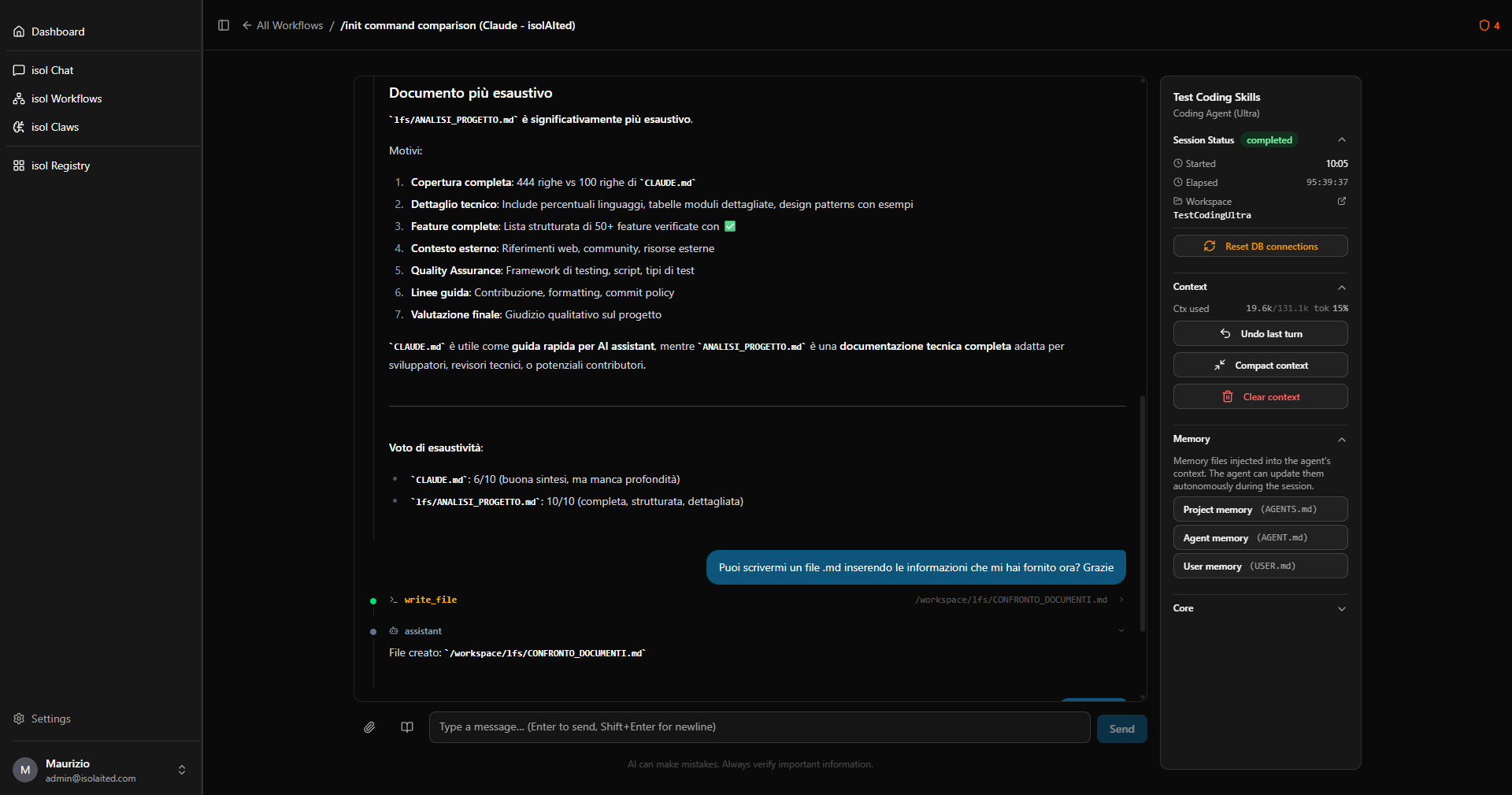
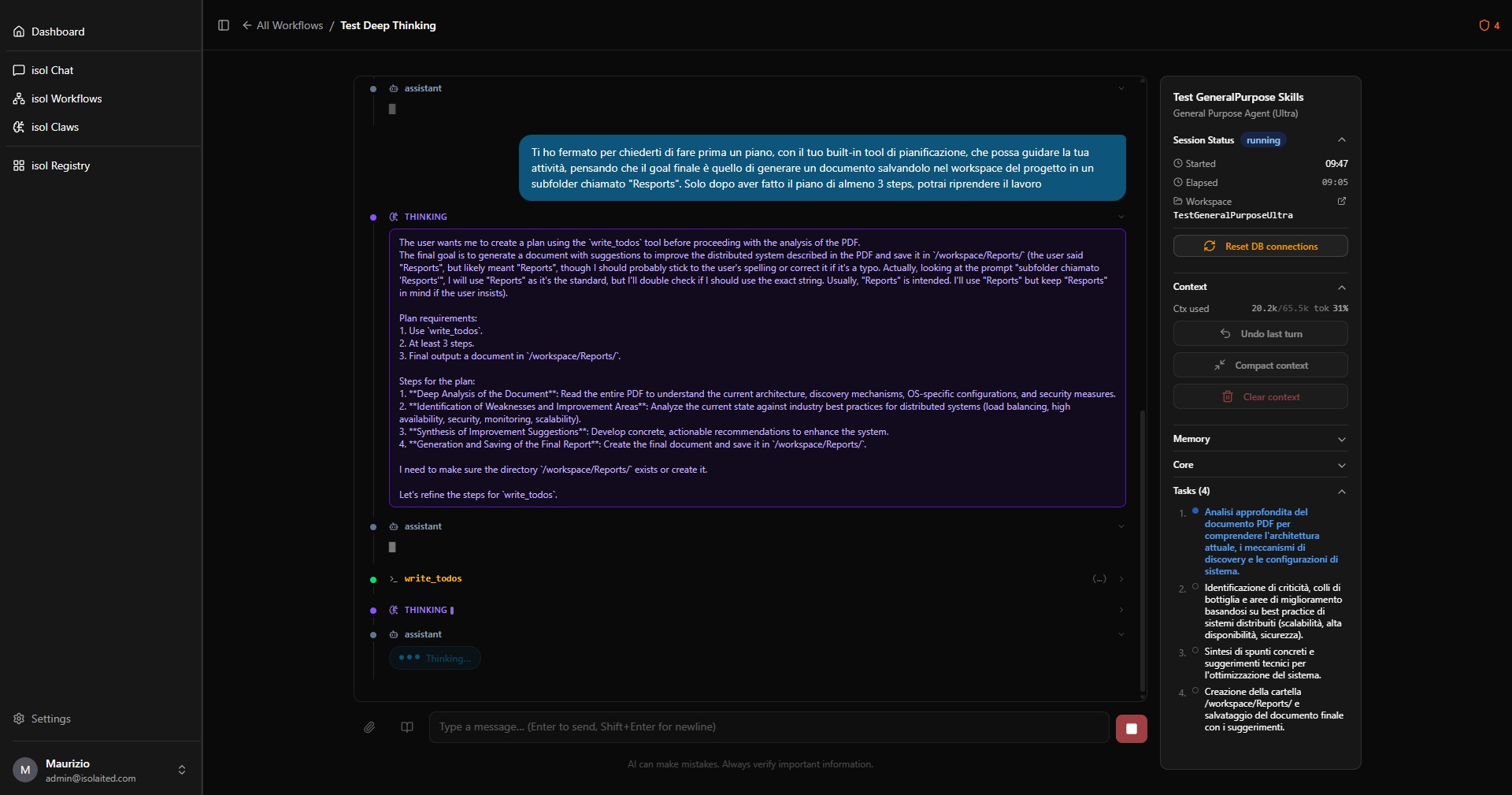
Approach your projects in a new way. Create complex workflows applying single agents or agent teams. Persistent work sessions with long-term memory, secure folders, isolated execution environments for agents and automatic task decomposition.
- ✓Dedicated interface for Workflows and work sessions
- ✓Single agent or agent teams per workflow
- ✓Persistent sessions with full history and reactivation
- ✓Long-term memory tied to the Workflow, Agents and User
- ✓Planning mode with task visualisation
- ✓Isolated environments for secure agent execution
- ✓Human In The Loop (HITL)
- ✓Automations triggered by time events or via REST API
- ✓Traceability and Logging for every session
Autonomous agents. Always on.
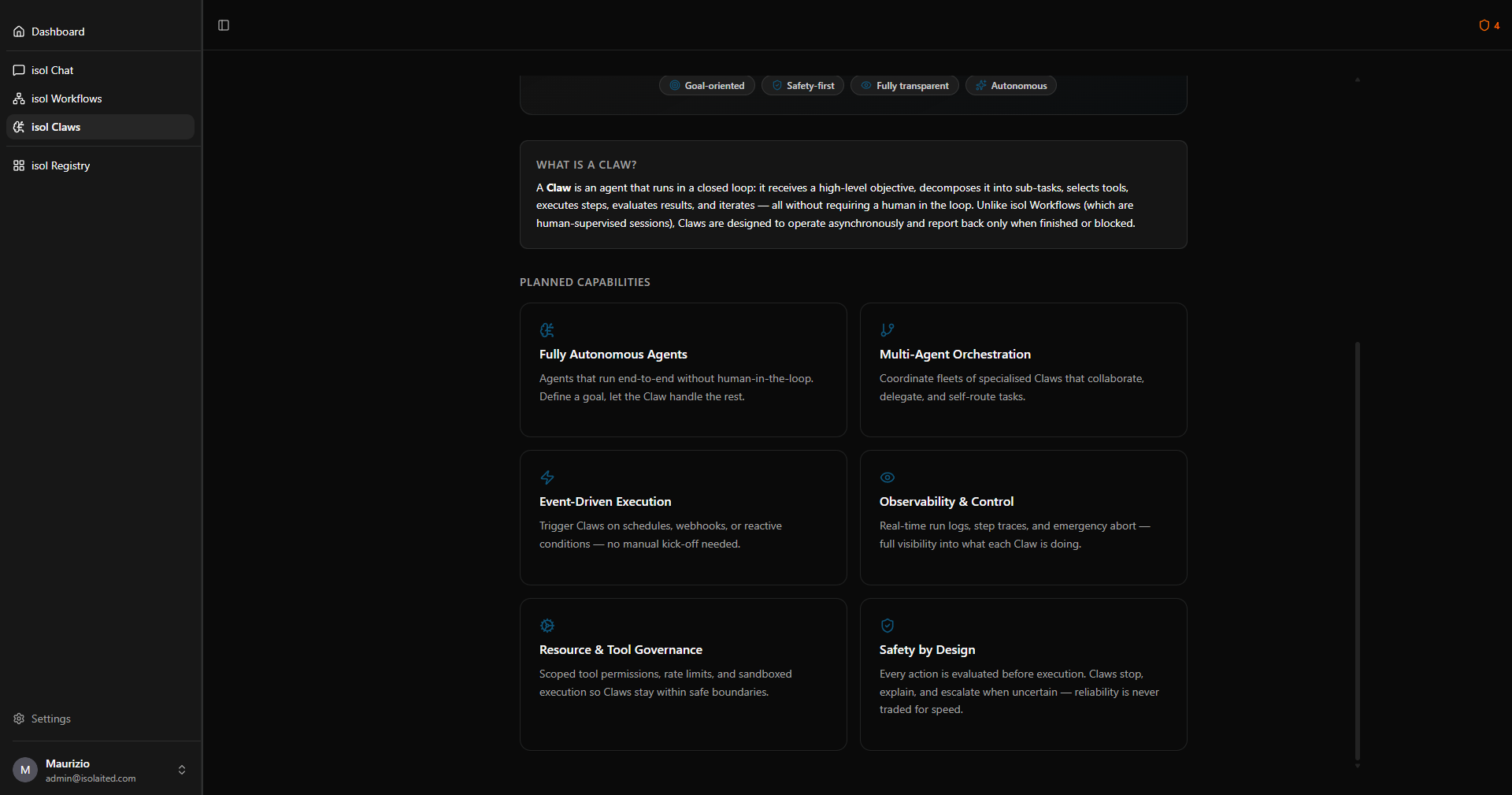
Claws are fully autonomous agents, launched once and then always active. Assign them a task, even remotely, and focus on something else. They will work in the background, 24/7, without your intervention, notifying you when the work is done.
- ✓Interaction with the user through protected, encrypted communication channels
- ✓Autonomous execution of assigned tasks without human intervention
- ✓24/7 operation on your local hardware
- ✓Zero extra marginal cost per execution
- ✓Traceability and Logging for every run
- ✓Integration with local systems via Skill, MCP and ACP
The agent is not a library file. It's a team member.
Most AI platforms build agents inside projects: when the project ends, the agent dies. isolAIted inverts this model: every agent is an autonomous, persistent entity with its own identity, its own memory and its own lifecycle, independent of any specific project.
Project-centric
- –The agent lives inside the project folder
- –Its configuration must be rebuilt for every new project
- –Knowledge stays in separate silos and does not transfer
- –When the project closes, accumulated experience is lost
Agent-centric on private infrastructure
- ✓The agent is an autonomous entity on your local network — not a project guest
- ✓Carries its skills, tools and memory from one project to the next
- ✓Its intelligence grows across all your projects simultaneously
- ✓Lives in your Registry: versionable, shareable, permanent
Three memory levels — one coherent system
User Memory
User's personal preferences and context. Private, not shared with others — stays in the local installation.
Agent Memory
The agent's identity, skills and "procedural wisdom". Versionable via Git in the Registry — separate from individual projects.
Project Memory
Contextual memory shared among all agents collaborating on the same project. Transient and protected. Versionable via Git.
The AI lifecycle, separate from the project lifecycle
Your agents have their own versions — v1.0, v1.1, v2.0 — independent of the projects that use them. If the "Researcher" agent learns a new skill while working on Project A, that improvement is instantly available for Project B. Business intelligence accumulates and improves over time, like a true infrastructure asset.
The unified registry for everything you build.
isol Registry is where all isolAIted artifacts are created and live: the base assets that power agents, the agents themselves, and the orchestration components: Workflow Presets, Triggers and Prompts. Everything versioned, shareable and ready to use.
RAG
Specialised RAG systems to integrate your business knowledge base. Multi-format support, configurable chunking, semantic search.
LLM Wiki
The wiki approach to knowledge management, included in the platform alongside RAG. Pick whichever system suits each knowledge base, without giving up the other.
Models
Compatibility with hundreds of open weights LLMs. Model Library, ModelFile Editor, Custom Model, integrated Benchmark.
Skills
Skill groups to extend agent capabilities. Add from local files or from Marketplace (1M+ skills available).
MCP Tools
MCP Tool group management. Integrated OAuth, manual addition or from Registry (5k+ tools). Aware and secure connectivity.
Agents
Dedicated interface for creating Agents. Guided configuration: system prompt, model, backend, knowledge bases (RAG and LLM Wiki), Skills, MCP Tools, long-term memory, HITL, ACP, sub-agents.
Prompts
Library of ready-to-use prompts to accelerate daily productivity. Dedicated interface for generic prompts, system prompts and prompt templates.
Workflow Preset
Library of workflow presets to guide agent work in sessions. Defined as specialised system prompts, prepended to agent prompts.
Triggers
Advanced trigger management: time events, change events, REST API commands. The automation engine behind isol Workflows and isol Claws.
Choose your scenario. Adapt it to your network.
isolAIted supports a wide spectrum of configurations: from a single PC to a distributed corporate network. Here you'll find the three main scenarios. For non-standard needs, contact our team.
Single PC / Workstation
The ideal starting point. isolAIted runs entirely on a single machine with a compatible GPU — even hardware you already own. isol Chat, Workflows and Claws work at 100%, AI is accessible via a dedicated app.
Local Business Network
isolAIted installs a dedicated AI server (on-premise) and becomes accessible to the whole team via local network, through a dedicated app. Multi-user, separate sessions, centralised inference. A single processing point, zero data leaving the business perimeter.
Distributed Network (VPN)
For multi-site organisations or remote teams. isolAIted is securely reachable via VPN: data stays physically in the datacenter or main site, while collaborators access it from anywhere via a dedicated app — without ever exposing anything to the cloud.
Modular and independent architecture. All scenarios share the same founding principle: your data always stays within your security boundaries.
Frequently asked questions
isolAIted is designed for open weights models running through a local inference server. Integration with cloud proprietary models would require external connections — which would contradict the platform's founding principle. If you need cloud models for specific cases, you can explore hybrid solutions with consultants of our team.
isol Registry's interfaces are designed to be accessible even without technical expertise. However, to get truly effective results — well-configured agents, productive workflows, reliable automations — a basic understanding of how an agentic system works is helpful. For those starting from scratch, the Plug & Play path includes Premium onboarding and guided configuration Services.
isolAIted natively generates an extremely wide range of content types. More importantly, thanks to native support for Skills and MCP Tools, output possibilities are practically infinite from day one. The isolAIted development team's commitment is to keep integrating new artefact types natively.
isolAIted lets you choose whether to install Git during the initial configuration phase. In environments not dedicated to software development, Git is rarely already present, yet it is a fundamental element for giving everyone maximum control over produced assets. For this reason, all isol Registry assets are already structured to be immediately compatible with a Git repository — with .gitignore, .gitattributes and .gitkeep files already in place. A Git-friendly and Git-ready by design approach.
The scenarios described represent the most common macro-cases, but isolAIted supports hybrid configurations and multiple combinations. For non-standard needs, the Premium Services of your chosen path are the right starting point.
isolAIted provides three levels of execution isolation, chosen based on the operational context.
Docker Sandbox — the most secure level: each agent runs in an isolated container with filesystem and network separated from the host system. Access to resources is explicitly defined via volume mounts and network policies; nothing is reachable by default.
WSL2 Sandbox — available on Windows: the agent operates inside the WSL2 Linux subsystem, with filesystem and network isolation from the Windows host environment. Lighter than Docker, with comparable isolation guarantees for most enterprise scenarios.
Virtual Sandbox (folder-based) — the simplest to configure: the agent is confined to a predefined set of folders and cannot operate on the filesystem outside them. Important: this level does not restrict network access — it is designed for environments already protected at the perimeter level (firewall, VPN, isolated corporate network) where the primary risk is unauthorised file access, not outbound connections.
The choice of sandbox level depends on the installation's risk profile: for environments with the strictest security requirements, Docker is the recommended option.
Ready to get started?
Download isolAIted for free and launch your private AI system in minutes.